Before you start
- Use the same phone number each time you visit.
- Ask the staff member if the business uses MyStamp.
- Keep your QR code or phone number ready at checkout.
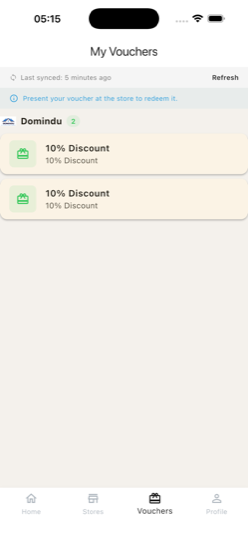
Quick screenshots
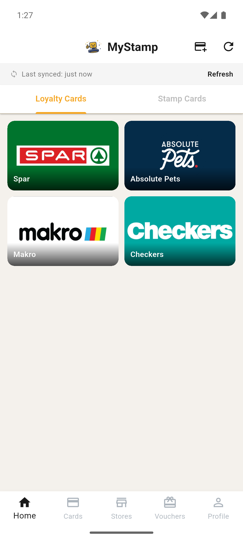
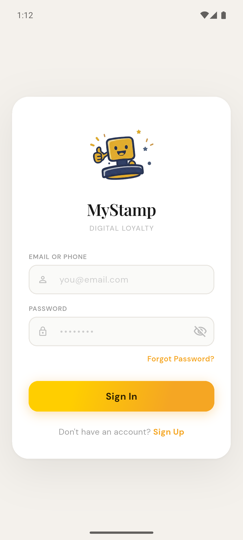
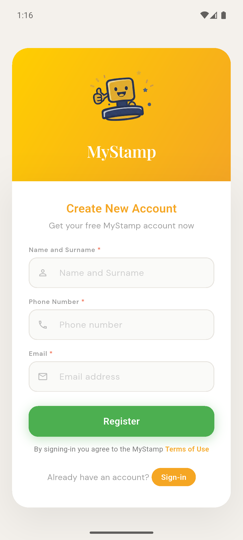
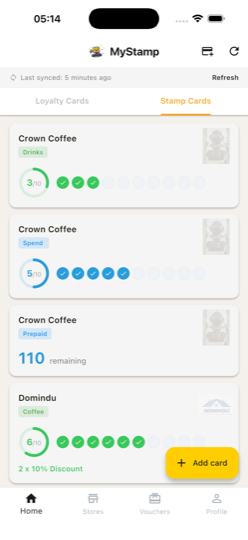
Small visual references so users can recognise the right screen fast.
Video tutorials
Customer quickstart video
45–60 secRecord a short vertical walkthrough that shows sign-in, viewing progress, and redeeming a reward.
Steps
1
Join once
Create your free MyStamp customer profile with your phone number or email address.
You do not need a different account for every store.
2
Collect stamps
At checkout, ask the staff member to add your MyStamp reward. They may scan your QR code or search your phone number.
No paper card needed.
3
Track your progress
Open MyStamp to see your stamp progress, available vouchers, and rewards you are close to earning.
Your rewards stay on your profile even if you change phones.
4
Redeem rewards
When you qualify for a reward, ask staff to redeem it through MyStamp before they give you the free item or discount.
The business must mark it redeemed so it cannot be reused accidentally.
Success check
- You can show your QR code or provide your phone number.
- You can see your latest stamp progress.
- Your earned reward appears before redemption.
- The redeemed reward no longer shows as available.
Common mistakes
- Using a different phone number each visit.
- Leaving the store before checking that the stamp was added.
- Expecting all businesses to use the same reward rules.