Before you start
- Choose a simple first offer, such as Buy 8, get 1 free.
- Know which product or service earns the stamp.
- Know which branch or staff team will issue it.
Video tutorials
Stamp card setup video
1 min 45 secA focused walkthrough for creating the reward item and rule behind your first digital stamp card.
Steps
1
Create the reward item
Create the voucher or reward customers will receive when the stamp card is complete, such as Free regular coffee.
The reward item is what the customer eventually redeems.
2
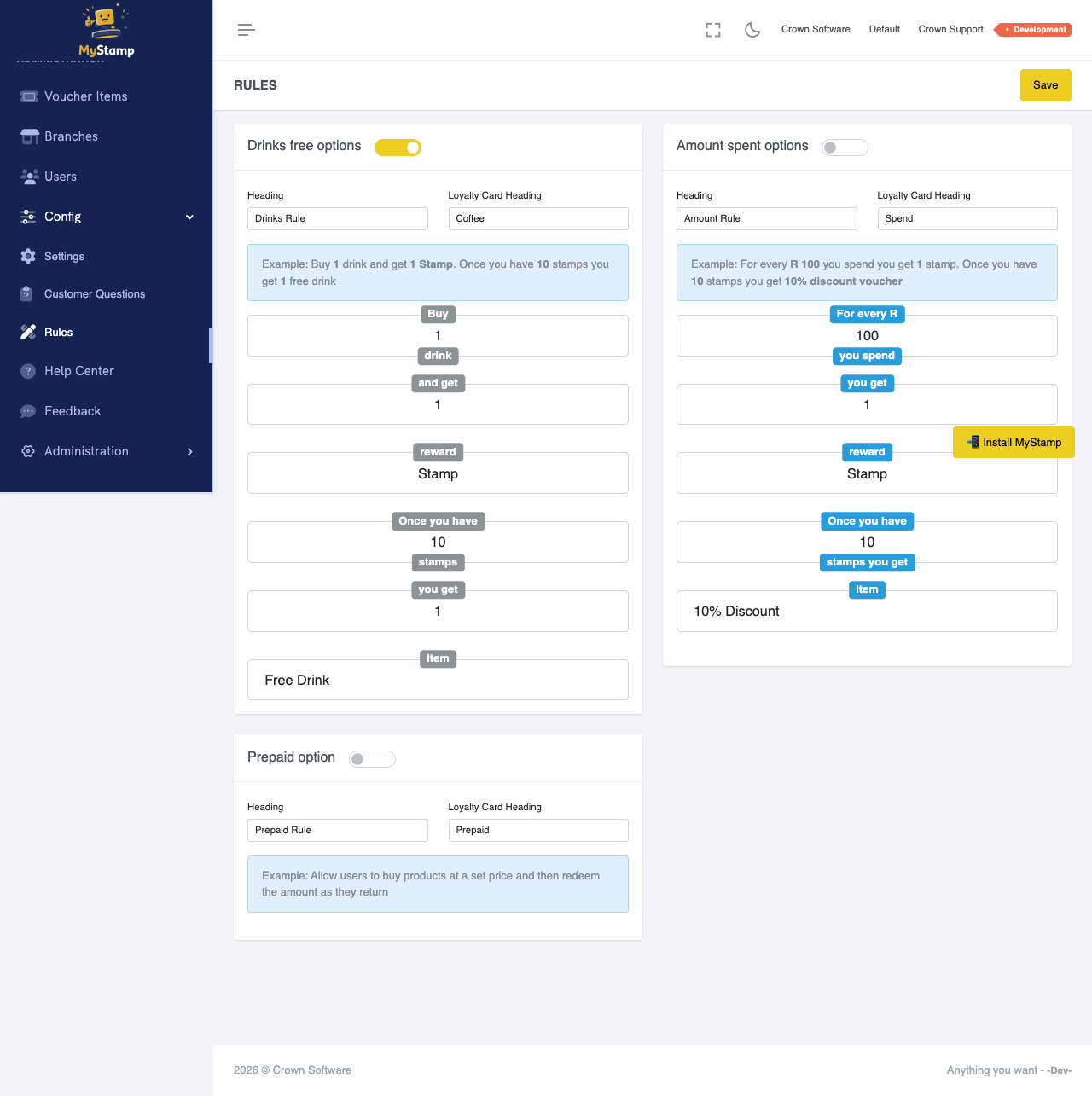
Configure the loyalty rule
Set the rule that decides how customers earn progress towards the reward, for example one stamp per qualifying purchase.
This rule turns the reward into a stamp card.
3
Set limits and expiry
Decide whether the reward expires, whether it can be used once, and which branches can issue or redeem it.
Keep your first reward simple; complexity can come later.
4
Run a test transaction
Use a test customer and issue stamps until the reward becomes available. Then redeem it.
Never launch a reward you have not tested from award to redeem.
Success check
- The reward item exists.
- The loyalty rule is active.
- A test customer can earn progress.
- The reward can be redeemed once earned.
Common mistakes
- Naming the reward in a way staff do not recognise.
- Making the first rule too complicated.
- Forgetting to test redemption.